Flag of Tân Gia Ba

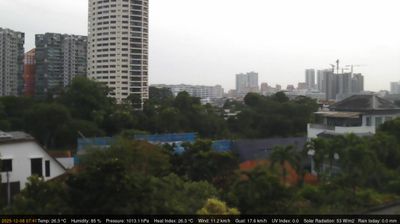
Live Webcams in Tân Gia Ba

Welcome to the live directory for Tân Gia Ba. Browse the latest streams below, filter by category, or select a specific region to find local weather, traffic, and panoramic views.

Latest Cameras in Tân Gia Ba

Explore Regions in Tân Gia Ba


Why Visit Tân Gia Ba Virtually?

Planning a trip to Tân Gia Ba? Or maybe you just miss home? Our curated list of live streams provides high-quality views of the local regions and cities. Check the live weather, see what locals are up to, and enjoy the beautiful views 24/7.


Singapore

About Singapore

Singapore, quốc hiệu là Cộng hòa Singapore, là một đảo quốc và thành quốc có chủ quyền ở Đông Nam Á, nằm ngoài khơi về mũi phía nam của bán đảo Mã Lai và cách đường xích đạo 137 km về phía bắc. Lãnh thổ Singapore bao gồm có một đảo chính hình thoi và khoảng 60 đảo nhỏ hơn. Singapore tách biệt với bán đảo Malaysia qua eo biển Johor ở phía bắc cũng như tách biệt với quần đảo Riau của Indonesia qua eo biển Singapore ở phía nam. Singapore là quốc gia có mức độ đô thị hóa rất cao, chỉ còn lại số lượng ít thảm thực vật nguyên sinh. Lãnh thổ của Singapore hiện đang liên tục được mở rộng thông qua các hoạt động cải tạo và lấn biển.

📖 Read more on Wikipedia

Frequently Asked Questions

Webcam.beer is a premium global directory of live streaming webcams. We curate and index thousands of real-time cameras from around the world, allowing you to instantly check weather conditions, explore famous tourist spots, view city traffic, and discover beautiful landscapes all in one place.

Yes! The vast majority of the cameras in our network are real-time, live video streams. Some remote or scientific cameras may provide frequently updated high-resolution imagery due to bandwidth constraints in those specific locations.

Absolutely. Browsing, watching, and exploring the webcams on our platform is 100% free. You do not need to pay or create an account to view the live streams.

We love community contributions! You can easily submit a live stream by clicking the 'Add Cam' button in the main menu. Once submitted, our moderation team will review the camera to ensure it meets our quality and safety guidelines before it goes live on the platform.